
Actions and reminders
Where can I see my active actions on Home?
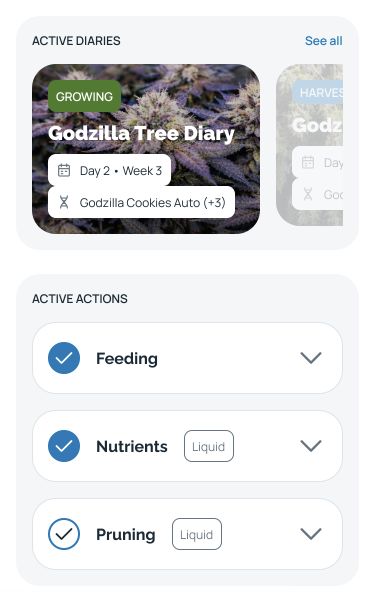
Find ACTIVE ACTIONS below ACTIVE DIARIES on the HarvestED Home screen.
Your actions appear in ACTIVE ACTIONS on the Home screen, below ACTIVE DIARIES.
Find your actions
Open HarvestED and tap Home in the bottom navigation.
Scroll past ACTIVE DIARIES.
Find ACTIVE ACTIONS and read the action names in the list.
If you have reached Popular diaries, scroll back up to find ACTIVE ACTIONS.
View this article in the Help Center ↗
Need help with a different screen or app version? Tell our team