
Your grow diary
How do I save and create my diary?
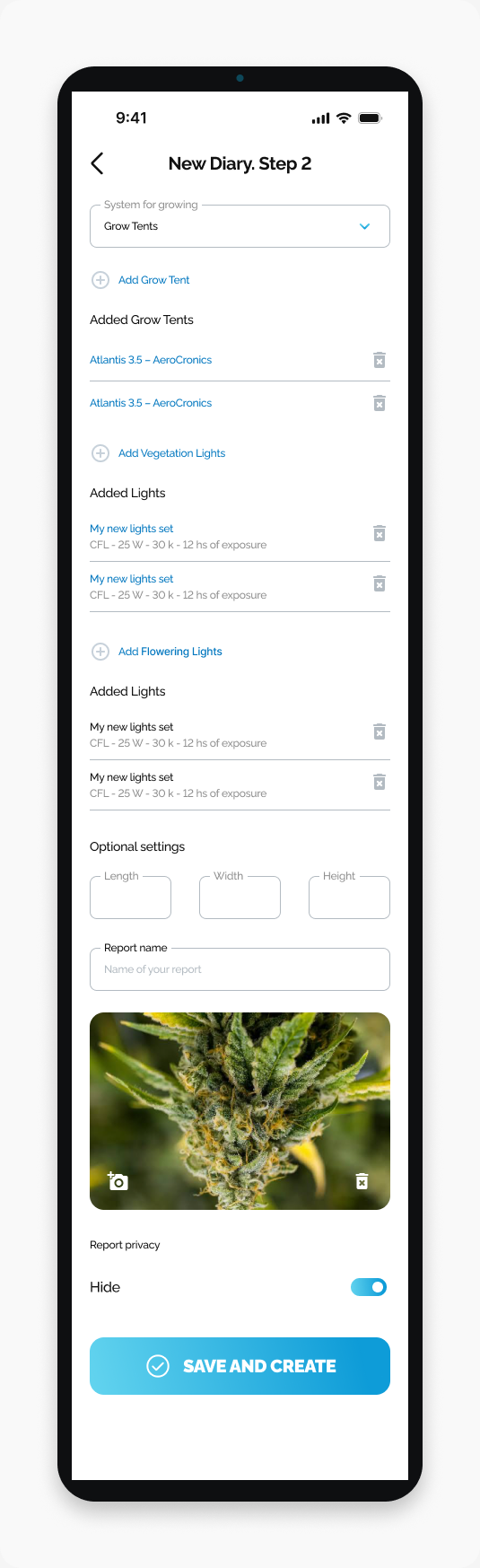
Finish New Diary Step 2 and submit your diary with SAVE AND CREATE on Android.
Finish creating your diary with SAVE AND CREATE at the bottom of New Diary. Step 2.
Before you start
Complete the plant details on Step 1 and review your equipment on Step 2.
Finish the diary
Open HarvestED and go to New Diary. Step 2.
Enter a diary name in Report name.
Review Hide under Report privacy.
Tap SAVE AND CREATE.
What happens next
The final action submits the diary for creation.
If you cannot save
Read any message shown by the app and check the field it identifies.
View this article in the Help Center ↗
Need help with a different screen or app version? Tell our team