
Your grow diary
Where do I enter a description when creating a diary?
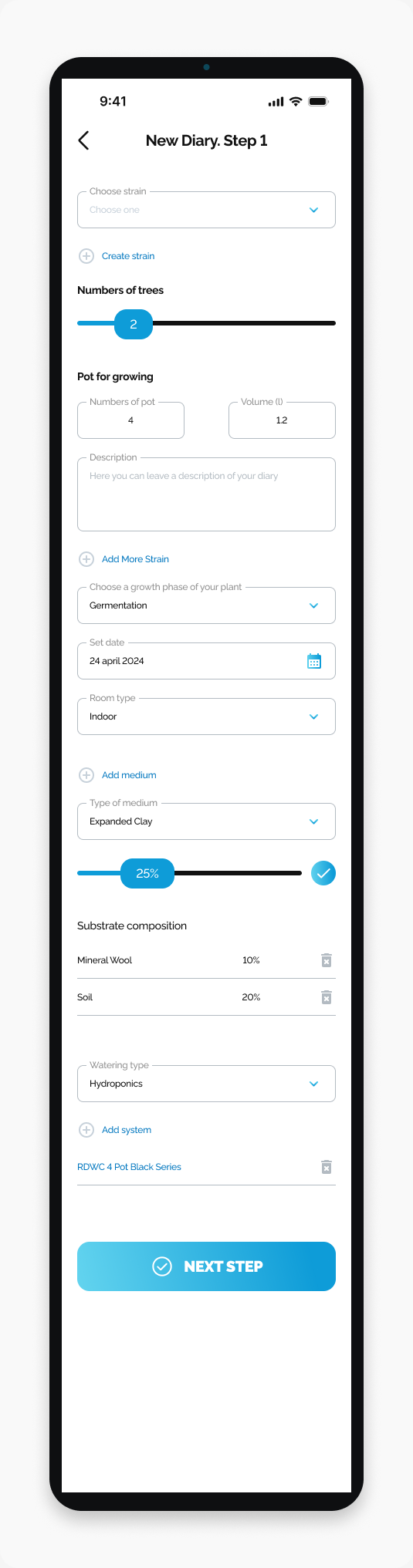
Find the Description field on New Diary Step 1.
Find the Description field on New Diary Step 1.
Start here
Open HarvestED and go to New Diary. Step 1.
Enter a description
Find Description below Pot for growing.
Tap the Description field.
Enter your description.
What happens next
Your text is entered in the creation form. Continue completing the remaining diary details.
If the field is not on your screen
Check the step number at the top of the screen against the screenshot in this guide.
View this article in the Help Center ↗
Need help with a different screen or app version? Tell our team