
Actions and reminders
Where can I find the date when creating an action?
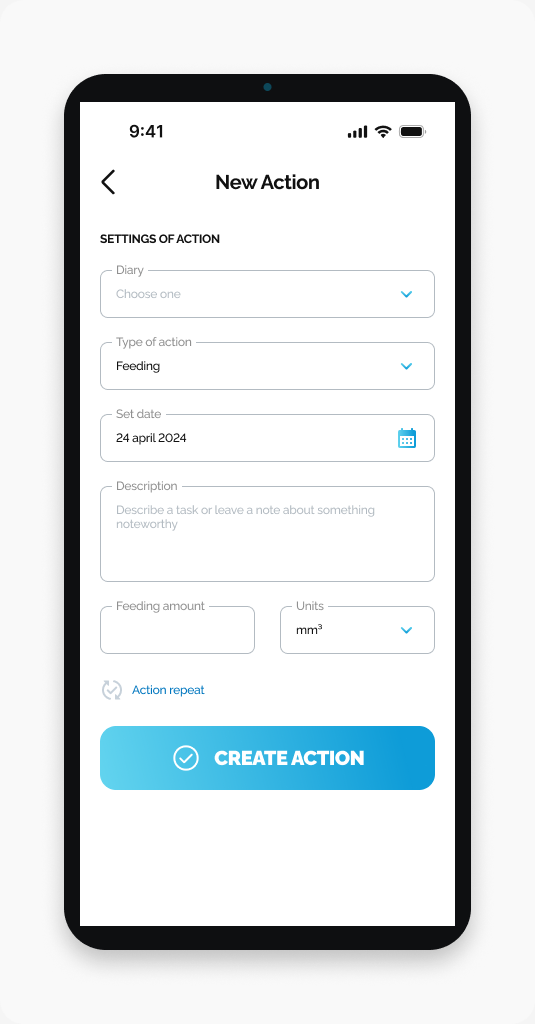
Find Set date between Type of action and Description on New Action.
The date field is labeled Set date on the New Action screen. It sits below Type of action and above Description, with a calendar icon on the right.
Find the field
Open HarvestED and go to New Action. Look for Set date in SETTINGS OF ACTION.
The screenshot shows an example date, not a date you need to enter.
View this article in the Help Center ↗
Need help with a different screen or app version? Tell our team