
Learning and tools
How do I open a course overview?
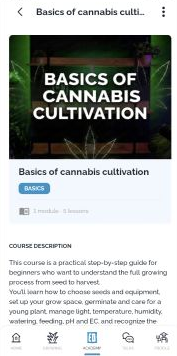
Open a course card to view its description and curriculum.
Open Academy and select All Courses.
Tap the course card you want to inspect.
Read the course description and find Course curriculum.
Expand a module to view its listed lessons.
Check the access information and any lock icons displayed on the course page. This guide covers the course overview and curriculum.
View this article in the Help Center ↗
Need help with a different screen or app version? Tell our team