
Account and sign-in
How do I sign in?
Sign in to HarvestED on Android with your email address or username and password.
Sign in to HarvestED with your email address or username and your password. Both options use the Username field.
Before you start
You need an existing HarvestED account.
Sign in
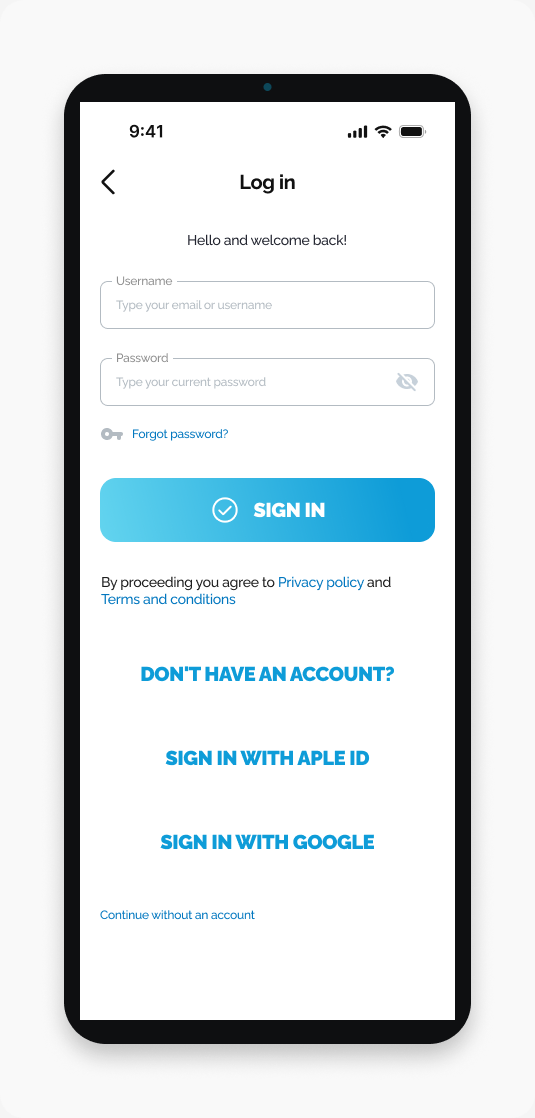
Open HarvestED and go to Log in.
Enter your email address or username in Username.
Enter your password in Password.
Tap SIGN IN.
What happens next
You are signed in to your HarvestED account.
If you cannot sign in
Use your email address or username, rather than your phone number. If you have forgotten your password, follow How do I reset my password?
Related help
New to HarvestED? Read How do I create an account?
View this article in the Help Center ↗
Need help with a different screen or app version? Tell our team