
Your grow diary
How do I choose a strain?
Select a strain while completing New Diary Step 1 on Android.
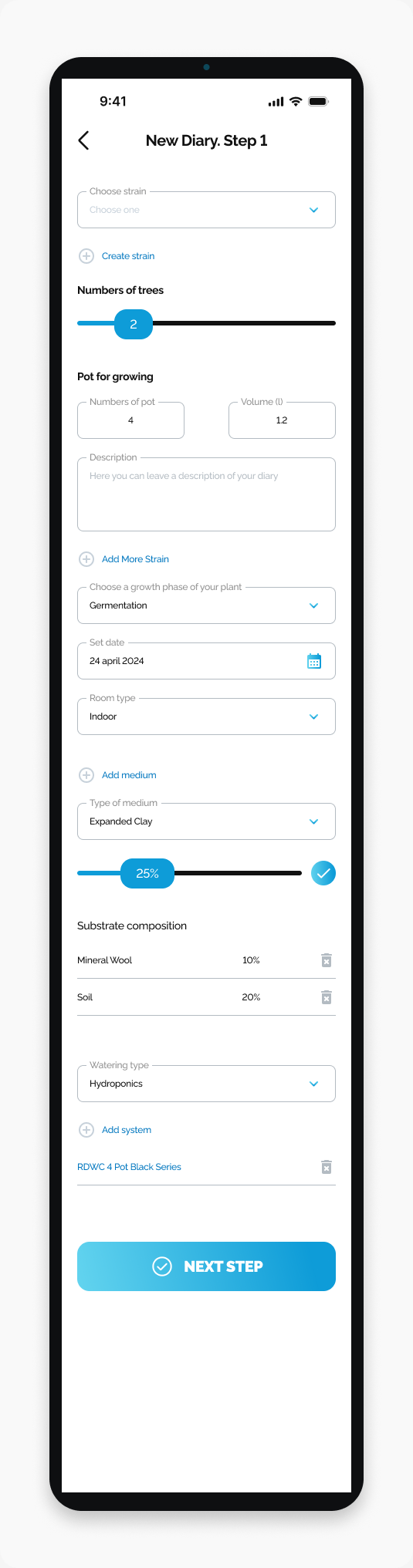
Choose the strain for your diary from New Diary. Step 1.
Start here
Open HarvestED and go to New Diary. Step 1.
Choose a strain
Tap Choose strain.
Open the Seedbank tab and choose your seedbank.
Open the Strain tab and select the strain. Strains with the same name can differ between seedbanks, so check the seedbank before choosing.
What happens next
The selected strain appears in the diary form.
If you cannot find your strain
Check the spelling of the strain name before searching again.
Continue
Complete the remaining fields on New Diary. Step 1.
View this article in the Help Center ↗
Need help with a different screen or app version? Tell our team