
Actions and reminders
Where do I add a note when creating an action?
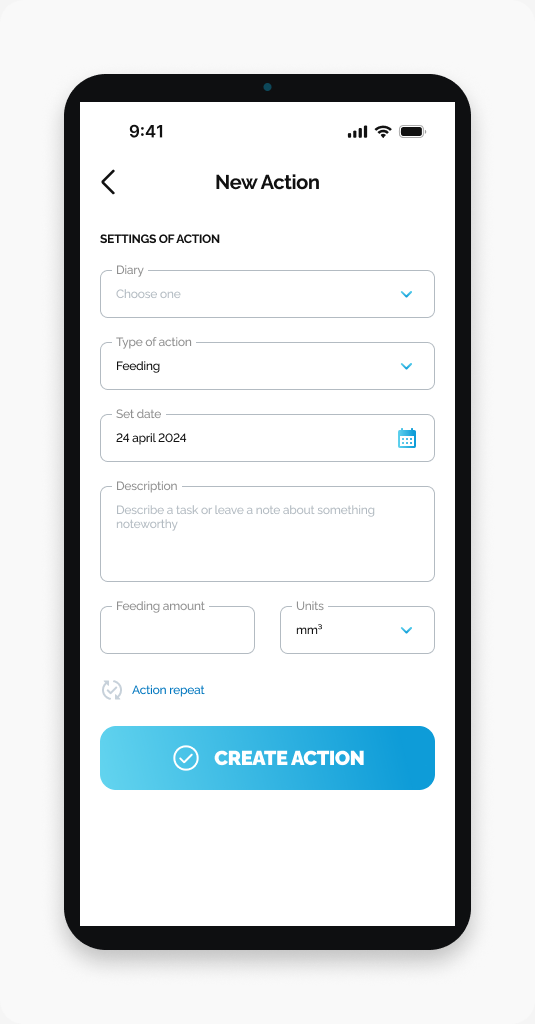
Use Description on the New Action screen to describe a task or leave a note.
Use Description on the New Action screen to describe a task or leave a note.
Start here
Open HarvestED and go to New Action. This guide covers a new action, not editing an existing one.
Enter your note
Find Description below Set date.
Tap the Description field.
Enter your note.
What happens next
Your note is entered in the new-action form. Continue completing the action details before submitting the form with CREATE ACTION.
If you cannot find the field
Check that the screen title is New Action. The screenshot shows Feeding as the selected action type.
View this article in the Help Center ↗
Need help with a different screen or app version? Tell our team