
781 Growers Challenge
How do I add my diary to 781?
Choose 781 participation in your diary, then save your choice.
Use your HarvestED diary to choose whether to participate in the 781 diary challenge.
1. Set up your diary
Install HarvestED and create an account. Then follow Create your first diary.
If you already have a diary, open that diary instead.
2. Open the 781 participation choice
When choosing or changing your diary’s strain, select 781. The screenshots show this in Edit Diary, on the SEED tab, in the Strain field.
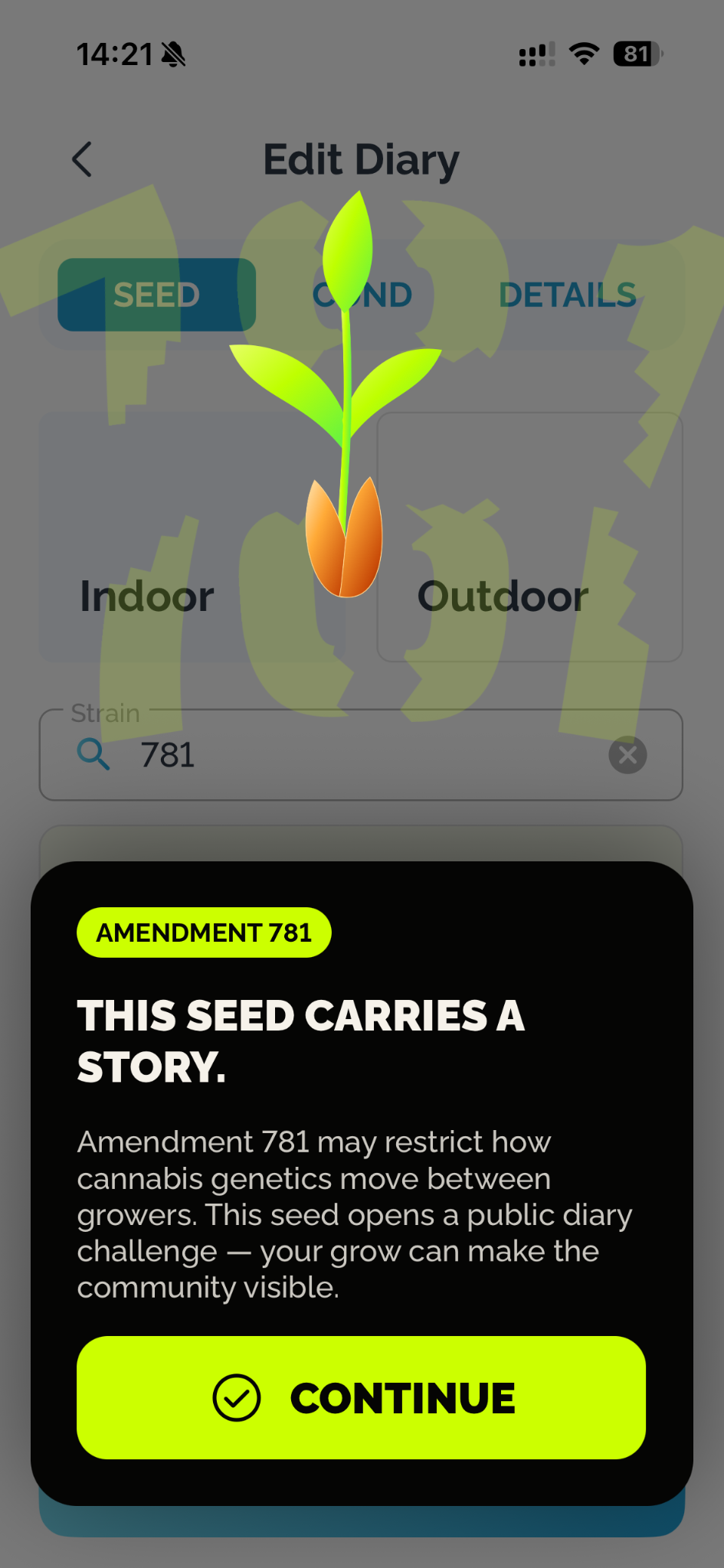
An introductory screen appears. Tap CONTINUE to reach the participation choice.
3. Choose participation
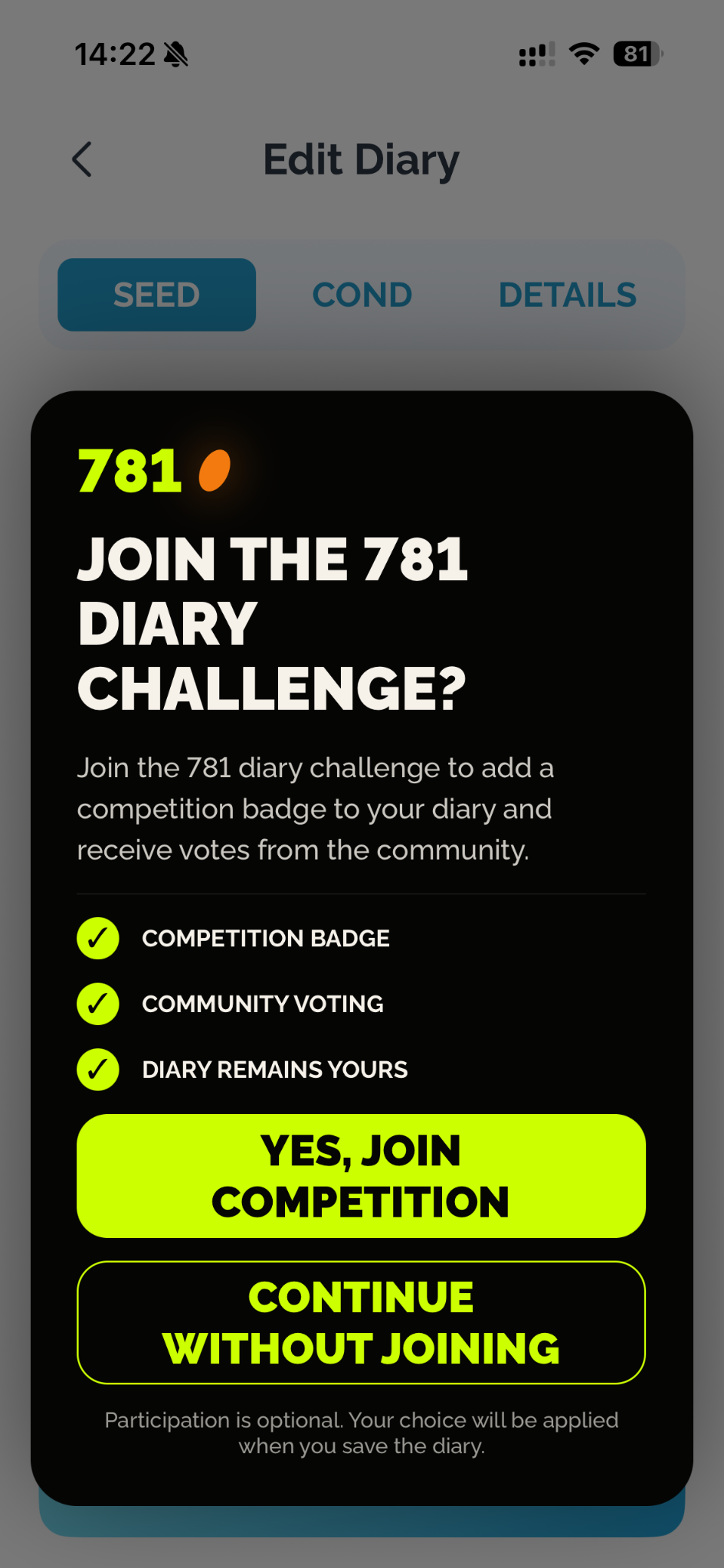
On JOIN THE 781 DIARY CHALLENGE?, choose YES, JOIN COMPETITION to select participation. If you do not want to participate, choose CONTINUE WITHOUT JOINING.
The screen explains that participation is optional and your choice will be applied when you save the diary.
The participation choice screen in HarvestED.
4. Save your choice
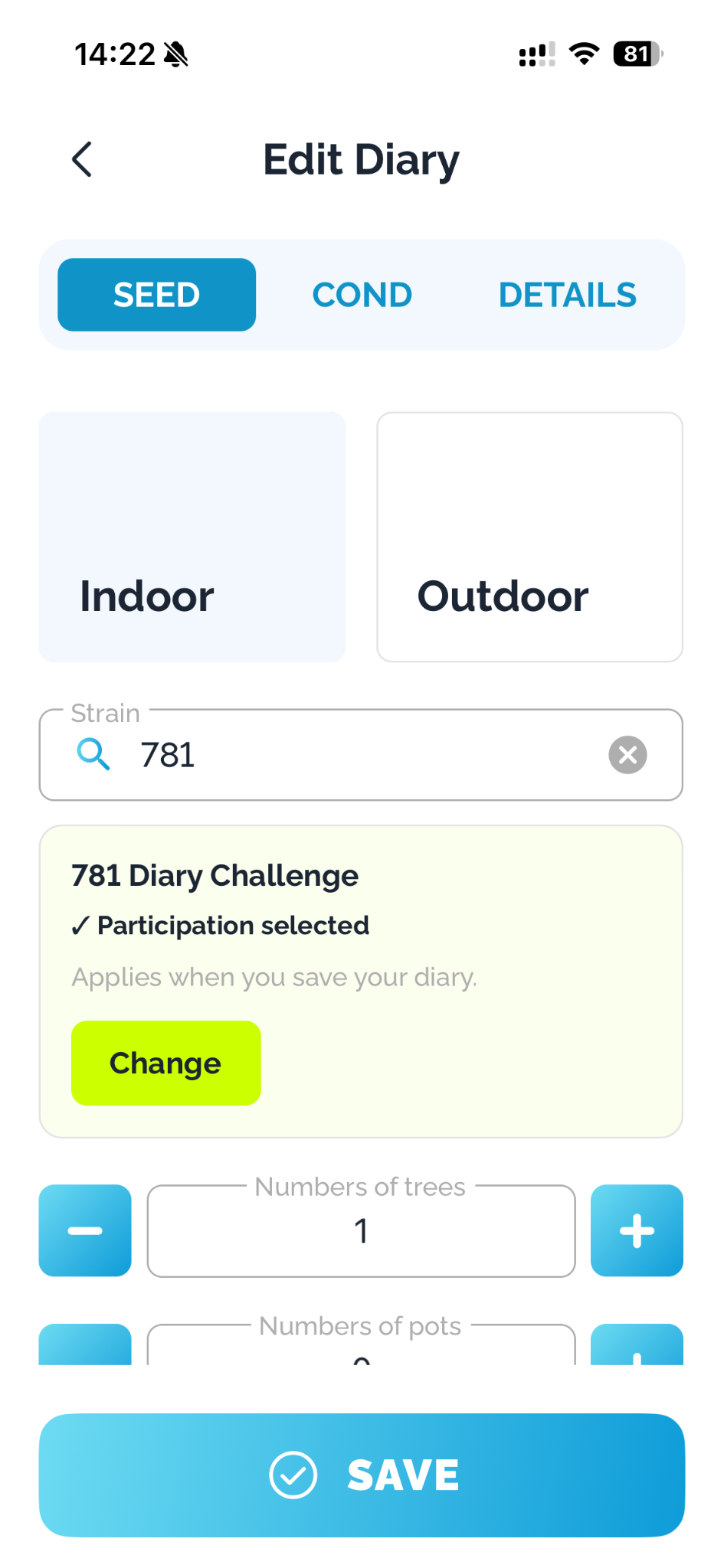
After choosing to participate, the diary form shows 781 Diary Challenge and Participation selected. You can use Change to revisit the choice.
The card says Applies when you save your diary. Tap SAVE to save the diary with your selected choice.
Participation is selected on this screen, but still needs to be saved.
If you need help
If you cannot find the 781 option, the participation screen does not appear, or your status is unclear after saving, contact HarvestED Support. Include your diary title and describe what you see.
The screenshots show the choice and the pre-save state. “Participation selected” alone is not confirmation that the diary has been saved.
Need help with a different screen or app version? Tell our team